AxiOwl Provider Bridges Explained
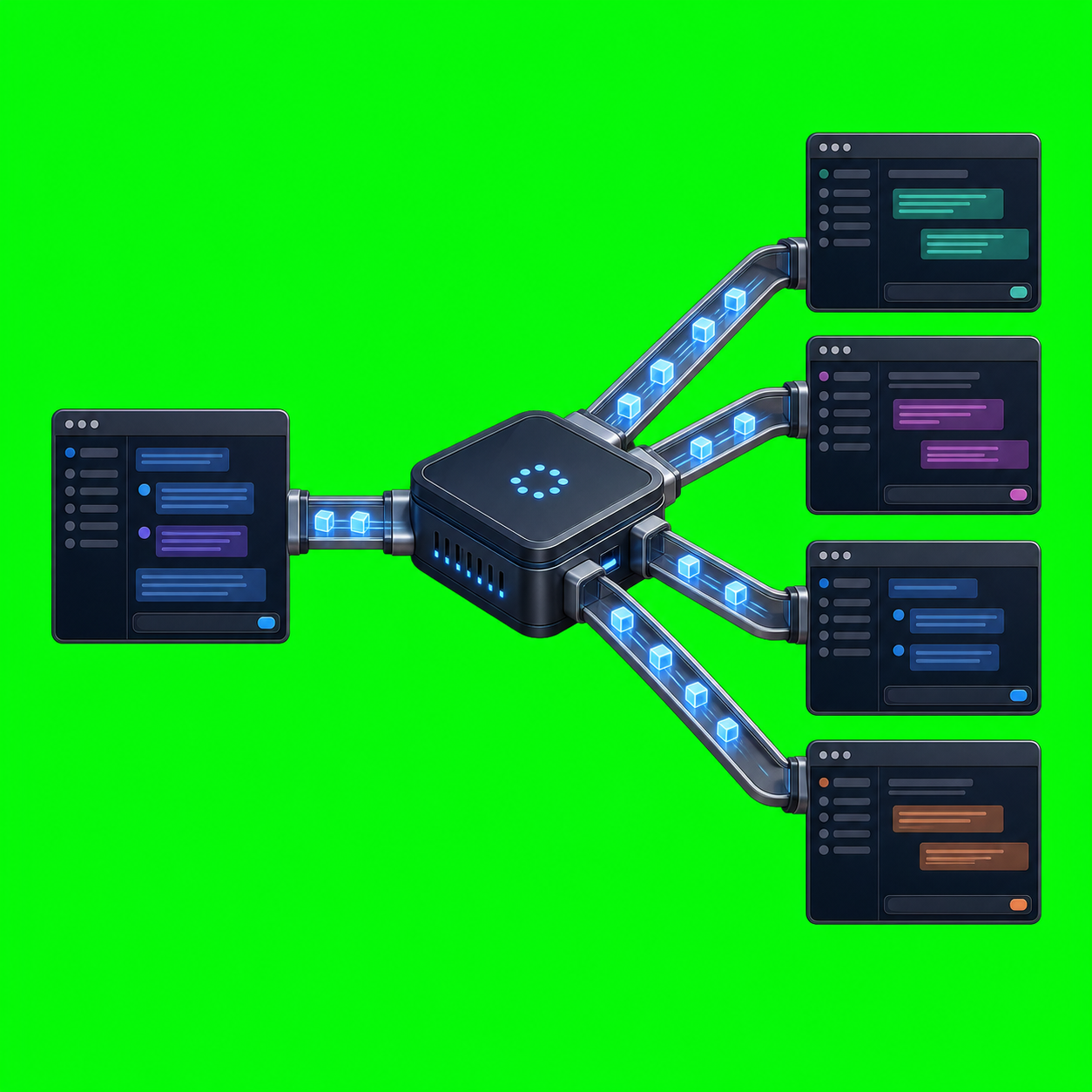
AxiOwl provider bridges are the parts of AxiOwl that make different agent chat surfaces usable through one local message contract. They do not make every provider behave the same way internally. They give AxiOwl one controlled place to translate a resolved message into the specific delivery method that a target provider understands.
That distinction matters. AxiOwl's core product is simple: a named sender sends a text body to a named target, AxiOwl resolves both names, builds the final visible message once, selects one provider edge, records evidence, and returns an honest receipt. Provider bridges sit at that provider edge.
The Middle Stays Small
The AxiOwl docs describe the intended pipeline as:
CLI or MCP tool
-> handler
-> MessagePipeline
-> sender and target resolution
-> final visible body construction
-> provider edge dispatch
-> provider-specific module
-> evidence log
The important design choice is that the middle of the system is deliberately plain. It does not know how to click through Cursor, how to resume a Codex thread, how to wake a VS Code extension, or how to handle a CLI provider's metadata quirks. It only knows the message contract.
In the Windows desktop implementation, provider_edges.cpp is the router. It normalizes the provider name from the target registry row and dispatches to modules such as:
codexcodex_clivscode_nativevscode_copilot_backedantigravityantigravity_clicursorcursor_cliclaude_code_clicopilot_cliopencode_cli
If the provider name is unknown, AxiOwl returns a failed result instead of guessing. If the target is marked as remote in this local-provider build, the code returns an explicit remote-out-of-scope result.
What A Provider Bridge Actually Does
A provider bridge is an adapter with a narrow job. It receives a ProviderRequest that already contains the final visible body, the target registry record, sender identity, requested method hints, and delivery context. It then uses the delivery surface for that provider.
Different providers need different mechanics:
- Codex CLI delivery can resume a known thread id with
codex exec resume, pass the final message through a temporary file, capture the last message, and record whether the command completed. - VS Code native and VS Code Copilot-backed delivery use a bridge extension, command files, result files, URI wake-up, and VS Code command execution.
- Cursor delivery uses a Cursor bridge extension that registers bridge identity, watches a command directory, accepts URI-triggered execution, and writes result JSON.
- CLI-family providers such as Claude Code, Copilot CLI, OpenCode CLI, Cursor CLI, and Antigravity CLI have separate discovery and provider modules because each surface has different session identity and metadata requirements.
That is why AxiOwl uses provider-specific bridge code rather than a single generic "send text somewhere" function. The public command can stay stable while each edge handles the provider's real behavior.
Registry Rows Are The Contract Between Names And Providers
AxiOwl does not route only by a friendly display name. The registry maps a human target name to the provider, provider session id, node id, sendable status, aliases, and last-seen evidence. The provider session id is the value a bridge needs to address the external chat surface.
For example, the VS Code bridge path expects exact session identity for existing-session delivery. The code checks that a VS Code native target has a provider session id and, for native existing-session delivery, resolves ownership so AxiOwl does not blindly send through the wrong active bridge window. Cursor bridge commands likewise carry a target bridge id when a command must be claimed by a specific bridge instance.
This is also why discovery matters. Discovery can add or refresh sessions, enrich manual rows, downgrade stale auto-discovered rows, and repair a missing target once during send. It is not allowed to silently turn stale data into a sendable route.
MCP Metadata Protects Sender Identity
AxiOwl's MCP server is another bridge surface. It exposes tools such as axiowl_whoami, axiowl_list_agents, axiowl_send_message, axiowl_create_agent, and axiowl_version.
The MCP instructions are intentionally strict: when sending from Codex or another host, the host MCP session id is the stable sender identity key. The tool should not ask the chat agent to invent its own session id, and it should not treat a display name that looks like a raw session id as a trustworthy sender name.
The implementation checks metadata keys for provider families, including examples such as Codex turn metadata, Cursor session or composer ids, Antigravity conversation ids, Claude session ids, Copilot session ids, OpenCode session ids, and VS Code chat session storage. If required metadata is missing, AxiOwl refuses the action instead of manufacturing identity.
That is the bridge philosophy in miniature: integrate with each provider's actual identity surface, then fail loudly when the provider does not provide enough proof.
Receipts Are Not Replies
AxiOwl makes a clear distinction between message acceptance, provider acceptance, and a later reply from the receiving agent.
The product contract names receipt states such as:
accepted_by_axiowlaccepted_by_providerdegradedfailedunknown
The MCP server text says the same thing in operational terms: an axiowl_send_message result is a handoff receipt only. It proves the request reached AxiOwl and the command returned to the host. It does not prove that the target generated a reply.
This is important for provider bridges because many provider APIs and editor command paths can report "command accepted" without returning a semantic answer from the target chat. AxiOwl records evidence for the delivery attempt and leaves replies as separate future messages.
Installed Bridges Are Feature-Scoped
The installer docs describe provider integrations as separate selected features inside one Windows MSI. The core install places AxiOwl under %LOCALAPPDATA%\AxiOwl, including the executable, runtime directories, registry directories, and logs. Provider features may add MCP config, bridge extensions, provider patches, CLI config, discovery records, or AxiOwl-owned wrapper files.
The same docs call out a key safety rule: unchecked provider features should not be installed, patched, closed, restarted, or uninstalled as collateral damage. A VS Code bridge, Cursor bridge, Codex plugin, Antigravity or Gemini MCP config, and CLI-provider config are separate integration surfaces. Installing or diagnosing one should not disturb unrelated provider state.
That matches the runtime design. The edge is provider-specific, the installer feature is provider-specific, and the evidence should identify which provider path was used.
A Concrete Send Walkthrough
A normal send begins with a command such as:
axiowl send --to "<agent>" --body "<message>"
For multiline content, the documented form is:
@'
<full message>
'@ | axiowl send --to "<agent>" --stdin
From there, the pipeline resolves the sender, resolves the target registry row, builds the final visible body, and hands the request to a delivery worker. The final visible body includes the original message plus reply instructions when the sender is resolved. The provider module then receives the already-built body.
If the target is a Codex CLI session, the Codex provider path can address the Codex thread id. If it is a VS Code native session, the VS Code bridge path writes a command file, wakes the extension through a vscode:// URI, waits for a result file, and records the bridge result. If it is a Cursor target, the Cursor extension can drain queued command files and submit through Cursor's available agent-window commands.
The target provider details change. The AxiOwl message contract does not.
Why This Architecture Helps Operators
Provider bridges make AxiOwl easier to reason about during operations because every failure has a more precise layer:
- If sender identity is missing, MCP metadata or registry sender resolution is the place to look.
- If a target name is unknown, registry and discovery are the place to look.
- If a target is known but not sendable, the registry row and last error matter.
- If a bridge is not active, bridge readiness, URI wake-up, command files, result files, and provider extension logs matter.
- If a provider accepts a command but no reply arrives, the receipt should not be inflated into a false roundtrip claim.
This is practical when integrating with fast-changing agent tools. Cursor, VS Code chat, Copilot-backed sessions, Codex CLI threads, and CLI providers do not expose identical APIs. AxiOwl's bridge boundary keeps those differences visible and contained.
The Short Version
AxiOwl provider bridges are the provider-specific edges around a small local message pipeline. They let AxiOwl keep a stable user command, a durable registry, a single final visible body, and honest delivery receipts while still handling the real mechanics of Codex, Cursor, VS Code, Antigravity, and CLI provider surfaces.
The goal is not to pretend every provider is the same. The goal is to make each provider's differences explicit, testable, logged, and isolated behind one AxiOwl contract.