AxiOwl vs Chat-Only AI Workflows
Most AI work still happens one chat at a time. A user opens Codex, Cursor, VS Code, Antigravity, Copilot, or another provider surface, asks a question, copies the useful result, and pastes it somewhere else. That pattern is simple, but it leaves every chat as its own island. The user becomes the message bus, the address book, the audit log, and the routing layer.
AxiOwl is built for a different shape of workflow. It does not replace the provider chats themselves. The current AxiOwl docs describe it as a local Windows coordinator that lets supported AI provider sessions send messages to each other. That distinction matters: the value is not a generic "AI assistant" claim. The value is coordination between real provider sessions that already exist on the machine.
What Chat-Only Workflows Do Well
Chat-only workflows are useful when the job is local to one conversation. If a developer wants one Codex thread to inspect a function, or one Cursor agent to edit a file, a single chat is often enough. The interface is direct, and there is little setup beyond the provider itself.
The friction appears when the work crosses boundaries. One chat may have the right repo context. Another may have a better editing surface. A third may be running inside VS Code or Cursor. A fourth may be the one the operator wants to keep as the durable thread of record. Without a coordinator, the operator has to move information between them manually.
That manual relay has practical costs:
- Sender identity is informal. A pasted message rarely proves which session produced it.
- Replies do not automatically route back to the original session.
- There is no shared local registry of reachable provider sessions.
- Troubleshooting depends on memory, screenshots, or provider-specific logs.
- A successful paste is easy to confuse with a successful end-to-end workflow.
AxiOwl exists to make those boundaries explicit.
What AxiOwl Adds
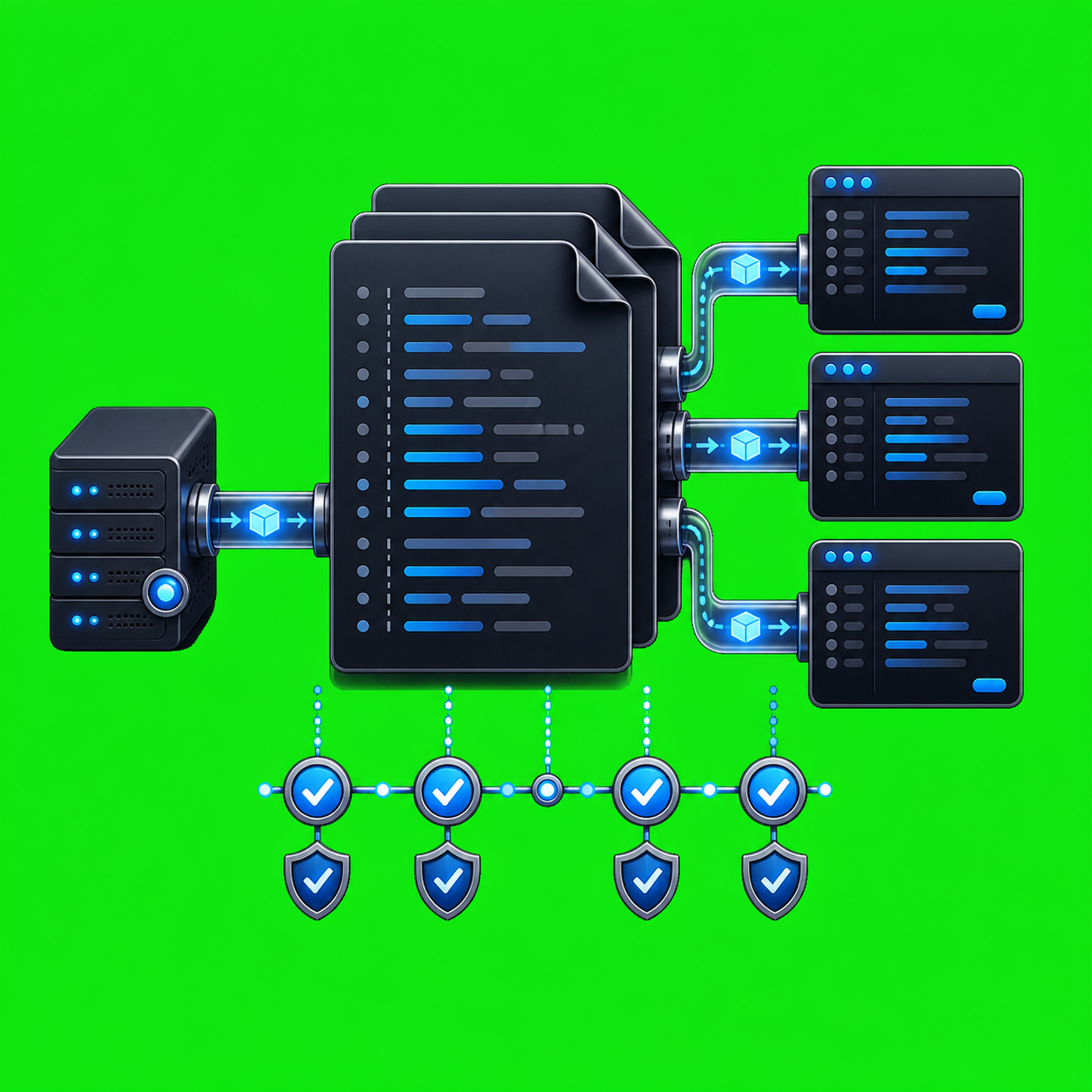
In the current Windows desktop implementation, AxiOwl exposes both a CLI and an MCP server. The architecture docs describe a flow that starts with a user, provider MCP call, or CLI command, enters axiowl.exe, moves through the MessagePipeline, resolves sender and target through the registry, optionally performs targeted discovery repair, dispatches through provider edges, and records delivery logs and proof.
That is a different operating model from chat-only work. AxiOwl keeps a durable local registry of agents, aliases, provider session IDs, node IDs, sendability, discovery source, last-seen timestamps, last-verified timestamps, and last errors. Instead of saying "paste this into that chat," the operator can address a registered provider session by name.
The common user-facing command is:
axiowl send --to "Target chat name" --body "Message text"
For longer bodies, the CLI also supports stdin:
axiowl send --to "Target chat name" --stdin
Inside provider sessions, the preferred route is MCP. The Codex plugin skill says to use the bundled axiowl_send_message tool for sends, because the MCP tool receives Codex thread metadata and uses that as sender identity. The MCP server instructions are explicit: use typed AxiOwl tools, do not construct raw axiowl send arguments, do not provide --from manually, and do not ask the chat to invent its own session ID.
That is the key difference. Chat-only workflows depend on the user to preserve context. AxiOwl tries to preserve routing identity as part of the workflow.
The Registry Is The Address Book
A chat-only setup usually has no shared address book. The user remembers that "the Cursor chat about the installer" exists, or that "the VS Code session from yesterday" has useful context. That may be enough for casual work, but it is weak for multi-agent operations.
AxiOwl's registry model gives those sessions durable local rows. The reference architecture lists fields such as display name, aliases, provider, provider session ID, node ID, sendable state, source, last seen time, last verified time, and last error. The CLI supports registry operations such as:
axiowl list agents
axiowl registry add-agent --name <agent> --provider <provider> --session <provider-session-id>
axiowl registry remove-agent --name <agent> --provider <provider> --session <provider-session-id>
Discovery can also enroll provider sessions. The CLI usage includes discovery scopes for Codex, Codex CLI, VS Code native, VS Code Copilot-backed, Copilot CLI, Antigravity, Cursor, Claude Code CLI, OpenCode CLI, and all local providers. The provider support matrix is careful about current status: some surfaces are supported, some are targets, and some are unsupported. AxiOwl does not treat every possible provider as finished just because a command name exists.
That conservatism is important. A registry row should help route to a real session, not create a false sense that every chat-like surface is equally ready.
AxiOwl Is Honest About Receipts
One of the strongest design differences is AxiOwl's receipt boundary. A chat-only workflow often has no formal receipt at all. If the user pastes a prompt into a window, the visible paste feels like success. But there are several separate events hiding inside that moment: the message was accepted by the local workflow, the provider received it, the provider processed it, and the provider replied.
AxiOwl separates those events.
The user docs and architecture docs both state that accepted_by_axiowl means AxiOwl accepted the request and handed it to the delivery layer. It does not prove the target provider displayed or processed the message. The support docs make the same distinction between MSI install success, accepted_by_axiowl, provider acceptance, and MCP reply received.
The implementation reflects that boundary. In message_pipeline.cpp, the pipeline records an accepted stage when the request enters AxiOwl, validates the target and body, resolves sender identity, finds the target in the registry, checks whether it is sendable, then marks the receipt as accepted_by_axiowl before handing off to the delivery worker and provider edge. The code labels that detail as axiowl_receipt_only.
For operations work, that honesty is valuable. It prevents teams from treating a local handoff as proof of a completed round trip.
Replies Need Real Sender Identity
The AxiOwl support bar requires more than delivery. A supported provider path must pass discovery, install/config, send, provider receive, provider MCP reply, and correct sender identity. For CLI providers, the provider support matrix says metadata must come from real MCP metadata or a provider patch; environment-only identity is not considered final support.
That rule exists because reply routing depends on sender identity. If a provider receives a message and wants to respond, it needs a return address that maps back to a real provider session, not a made-up display name or stale path.
The final visible body builder shows how AxiOwl helps. When sender identity is resolved, it builds a visible message that starts with the sender name, includes the original body, and appends an exact MCP reply instruction using mcp__axiowl.axiowl_send_message with the sender as the to value. That gives the receiving provider a concrete path for responding through AxiOwl.
In a chat-only workflow, the reply instruction is usually informal: "send this back to me" or "paste your result into the other chat." In AxiOwl, the return path is part of the message construction and depends on registry-resolved identity.
Provider-Specific Edges Matter
AI chat products do not all expose the same control surface. AxiOwl's codebase reflects that reality with provider-specific discovery and provider-specific delivery modules. The architecture docs point to provider_edges.cpp as the dispatch table and provider_*.cpp files as the provider delivery implementations. The current provider support matrix lists different methods for different surfaces:
codex:agentsuses Codex desktop/local app session delivery plus the AxiOwl MCP reply path.codex:cliis supported through Codex CLI/local Codex thread operations with MCP metadata.vscode:agentsuses VS Code native chat/session commands through the AxiOwl bridge extension.copilot:vsix extensionuses VS Code Copilot-backed MCP through the VS Code bridge.cursor:agentsuses Cursor bridge command files, a watcher, URI fallback, and a Glass submit patch.antigravity:agentsuses the Antigravity provider edge and MCP reply path.
That is not how a generic chat-only workflow works. A generic chat workflow treats every surface as a text box. AxiOwl treats each supported surface as a provider with its own discovery, install, send, and reply constraints.
This is also why the provider matrix marks some CLI paths as target rather than supported. AxiOwl can have intended support or historical proof without claiming the current implementation has met the current response-backed test bar.
Practical Operator Value
The practical advantage is not that AxiOwl makes chats smarter. It makes multi-chat work less dependent on human copy-paste discipline.
An operator can use AxiOwl to list registered agents, send to a named target, create or rename provider chats where supported, run discovery, inspect status, and collect evidence from local AxiOwl logs and registry files. The support docs point investigators to %LOCALAPPDATA%\AxiOwl\logs, %LOCALAPPDATA%\AxiOwl\registry, and %LOCALAPPDATA%\AxiOwl\runtime, plus provider-specific output channels and provider CLI output where relevant.
That gives troubleshooting a shape:
- Was the provider selected and installed?
- Did discovery produce a sendable registry row?
- Did AxiOwl accept the request?
- Did the provider edge accept the handoff?
- Did the target provider reply through AxiOwl MCP?
- Did the reply carry correct sender identity?
Those questions are hard to answer from a plain chat transcript alone.
When Chat-Only Is Enough
AxiOwl is not necessary for every interaction. If one chat has the needed context and there is no need to route a message elsewhere, a chat-only workflow may be faster. AxiOwl's own docs say it is designed for local provider-to-provider messaging, not for replacing the providers themselves.
The difference appears when the workflow has more than one active AI session, when replies must return to the right session, when provider identity matters, or when an operator needs evidence rather than a vague sense that something was pasted somewhere.
The Real Difference
Chat-only AI workflows are conversation-first. They are good at local interaction but weak at cross-session coordination.
AxiOwl is routing-first. It keeps provider sessions in a local registry, exposes CLI and MCP entry points, resolves sender and target identity, dispatches through provider-specific edges, and distinguishes local acceptance from end-to-end proof.
That makes AxiOwl useful in the messy middle between one-off prompting and fully automated agent infrastructure. It gives real provider chats a way to address each other, reply through a defined tool path, and leave enough local evidence for an operator to understand what actually happened.