How to Check Whether a Message Was Delivered
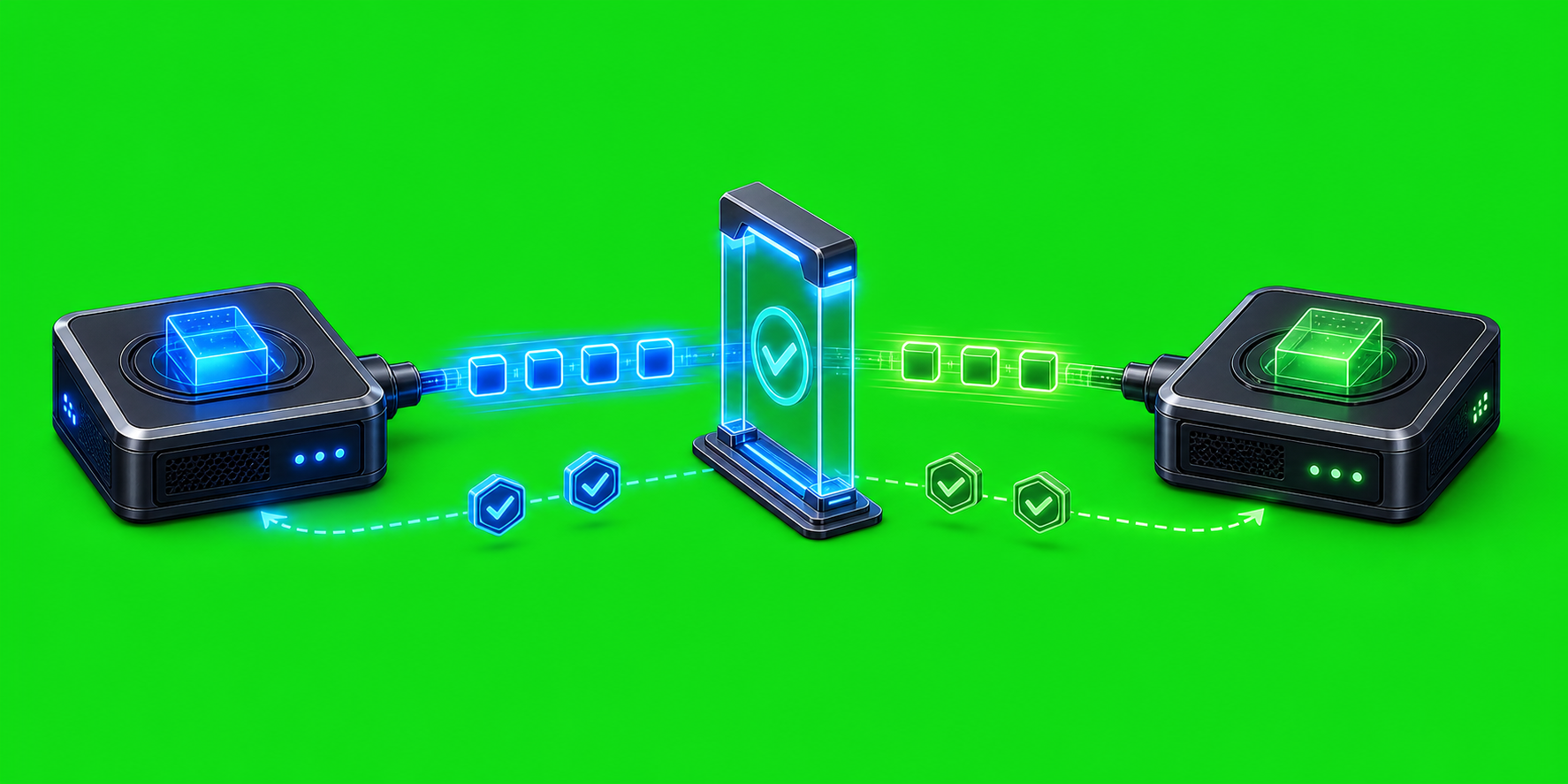
Message delivery in an agent system is not a single yes-or-no event. A message can be accepted by the local coordinator, handed to a provider-specific delivery path, accepted by that provider, and then answered by the target session. Those are different checkpoints, and AxiOwl is deliberately designed to keep them separate.
That distinction matters in day-to-day AxiOwl use. When a send command returns successfully, the first question is not simply "did it work?" The better question is "which boundary did this receipt prove?"
The Three Delivery Boundaries
AxiOwl's current Windows desktop implementation treats delivery evidence in stages.
The first boundary is the AxiOwl handoff receipt. This means the CLI or MCP request reached AxiOwl, the target and sender passed validation, and the message entered the message pipeline. In the source, this is represented by accepted_by_axiowl.
The second boundary is provider acceptance. Some delivery paths can explicitly report that a provider edge accepted the message. AxiOwl treats that as stronger than a local handoff receipt, but still not the same as a full reply from the target agent.
The strongest boundary is an end-to-end MCP reply from the provider session. The user docs describe this as proof that the provider received the message, had the AxiOwl MCP tool available, replied through AxiOwl, and was identified with correct sender identity.
Start With the Send Receipt
For a CLI send, the normal shape is:
axiowl send --to "Target chat name" --body "Message text"
For multiline content, the repo's current agent-facing CAM contract uses stdin with the send command family rather than squeezing complex text into one argument:
@'
Message text with multiple lines.
'@ | axiowl send --to "Target chat name" --stdin
When AxiOwl accepts the request, the CLI prints a handoff receipt. The implementation in cli.cpp includes the message ID, delivery state, provider, and delivery log path. A typical successful local handoff is described as:
AxiOwl handoff receipt: MCP/CLI request accepted by AxiOwl.
Message ID: <message-id>
Delivery state: accepted_by_axiowl
Provider: <provider>
Receipt boundary: provider delivery, provider wake-up, and provider reply are not implied.
Delivery log: <path-to-delivery-jsonl>
That wording is important. accepted_by_axiowl is not claiming that the target provider displayed the message. It says AxiOwl accepted the request and handed it toward delivery.
Read the Delivery Log
On Windows, AxiOwl stores its state under %LOCALAPPDATA%\AxiOwl. The implementation resolves the delivery log to:
%LOCALAPPDATA%\AxiOwl\logs\delivery.jsonl
The delivery log is JSON Lines. Each event records a delivery stage, including fields such as message ID, provider, target, session ID, node, stage, result, and detail.
The message ID from the CLI receipt is the practical lookup key. After sending, search delivery.jsonl for that message ID and inspect the stages that followed it. A local handoff should show that the message entered the pipeline and that AxiOwl resolved the target route. If provider delivery worker handoff started, the log records that as a later stage.
This is also where AxiOwl's staged model helps during debugging. A failure before target resolution points toward the request, registry, or discovery. A failure after route resolution points toward the provider edge, provider availability, or the specific bridge used by that provider.
Understand MCP Send Results
Provider sessions can send through the axiowl_send_message MCP tool. The tool description in the current MCP server is explicit: success is an MCP-to-AxiOwl handoff receipt only; provider delivery and reply are not implied.
That is by design. MCP sends are preferred for provider replies because they carry provider/session identity metadata. AxiOwl uses that identity to register or resolve the sender before it calls the same send path. If the host does not provide usable session identity, the MCP server fails loudly instead of guessing.
For an operator, the rule is simple: an MCP tool success tells you the provider successfully called AxiOwl. To prove the target agent actually received and acted on the message, look for the expected reply coming back through AxiOwl with the correct sender identity.
What Counts as Real Delivery Proof
Use this checklist when checking a message:
- The send command or MCP tool returned an AxiOwl receipt.
- The receipt includes a message ID.
- The delivery log contains entries for that message ID.
- The target was resolved to the expected registry row and provider.
- If available, the provider edge reported acceptance.
- For end-to-end proof, the target provider replied through AxiOwl MCP with the correct sender identity.
The last item is the strongest signal. A reply proves more than a local send receipt because it exercises both directions: outbound delivery to the target and inbound MCP routing back from the provider.
Common Misreadings
The most common mistake is treating accepted_by_axiowl as final delivery. The user docs and architecture docs both warn against that. It is a valid receipt, but it is not proof that the provider displayed, processed, or answered the message.
Another mistake is treating discovery as delivery. AxiOwl discovery can find provider sessions and repair missing registry state once during send, but a discovered session is still not the same thing as a provider reply. Discovery tells AxiOwl where a target may be; a reply proves the target path worked.
A third mistake is ignoring sender identity. AxiOwl requires a real sender for routed replies. The MCP server resolves identity from provider metadata or provider-supported session data and records inbound MCP send receipts. If that identity is missing, a failure is useful evidence rather than noise.
Practical Operator Flow
For normal operations, the fastest workflow is:
- Send the message and copy the message ID from the receipt.
- Open
%LOCALAPPDATA%\AxiOwl\logs\delivery.jsonl. - Search for the message ID.
- Confirm the target, provider, and stage sequence.
- If the message requested a response, wait for the reply through AxiOwl and verify that the sender identity matches the target provider session.
If the receipt says the request was not accepted, start with the CLI error. If the handoff was accepted but the target does not respond, inspect the delivery log, provider-specific bridge output, and registry row for that target. The support docs also point operators to %LOCALAPPDATA%\AxiOwl\logs, %LOCALAPPDATA%\AxiOwl\registry, and %LOCALAPPDATA%\AxiOwl\runtime when collecting evidence.
Why AxiOwl Separates These Signals
AxiOwl coordinates messages across multiple provider surfaces. Those providers do not all expose the same delivery guarantees, metadata, or UI behavior. A single vague "sent" status would hide the difference between a local coordinator receipt, a provider handoff, and a real provider response.
By keeping those boundaries visible, AxiOwl gives operators a better debugging path. You can tell whether a failure happened before target resolution, during provider handoff, inside a provider bridge, or on the reply path. That makes message delivery easier to verify and much easier to fix.
The safest way to check delivery is therefore not to look for one magic status. Use the receipt, the message ID, the delivery log, and the reply path together. In AxiOwl, delivery confidence comes from matching the evidence to the exact boundary it proves.