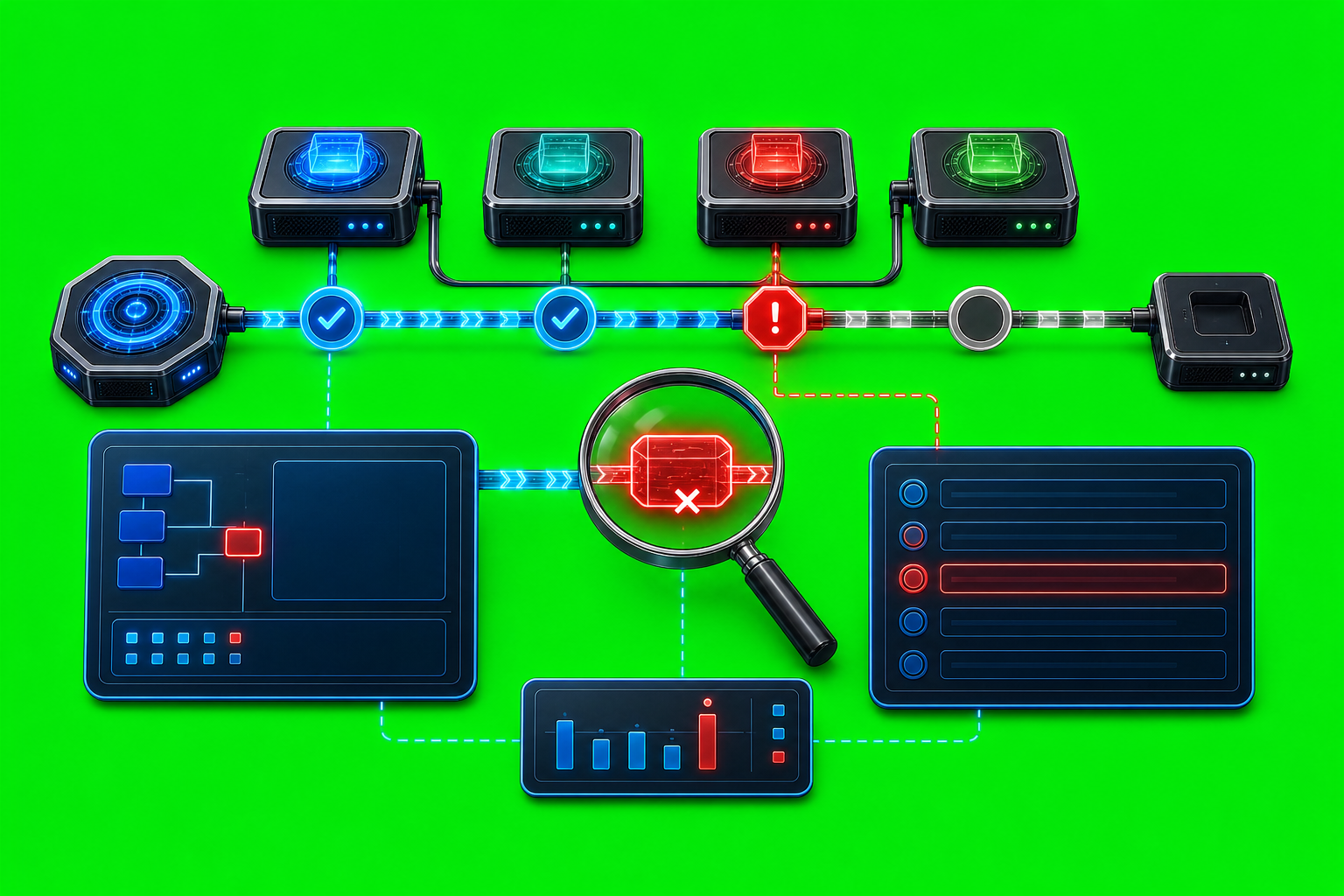
How to Debug a Failed Agent Message
A failed agent message is not one problem. It can be a bad command, a missing sender identity, a stale target row, a provider edge that rejected the handoff, or a delivery path that AxiOwl accepted but has not proven inside the provider yet. The fastest way to debug it is to separate those stages instead of asking a vague question like "did the message send?"
AxiOwl is built to make that separation visible. The current C++ runtime has a CLI, a durable registry, provider-specific delivery modules, targeted discovery repair, a final visible body builder, a delivery worker, and JSONL evidence logs. Its product contract is intentionally strict: AxiOwl should resolve the sender and target, build the final visible message once, select one provider edge, record what happened, and return an honest receipt.
That last part matters. AxiOwl should not claim that a provider received a message unless the selected path can support that claim.
Start With the Receipt
The first debugging artifact is the command output from axiowl send.
The implemented command shapes are:
axiowl send --to "<agent>" --body "<message>" --from "<sender>"
@'
<full message>
'@ | axiowl send --to "<agent>" --stdin --from "<sender>"
In the current implementation, --from matters for raw CLI sends. The message pipeline requires a resolved sender identity unless the body is already a final-visible relay body. If the sender cannot be resolved, the send is rejected before provider delivery begins.
A useful AxiOwl receipt has a Message ID, a Delivery state, a Provider, and a pointer to the delivery log. The key states are:
accepted_by_axiowl: AxiOwl accepted the request after resolving enough local routing information. Provider delivery, provider wake-up, and provider reply are not implied.accepted_by_provider: the selected provider path explicitly reported provider acceptance.failed: the selected provider edge or an earlier required stage failed.degraded: a path worked but lost an expected property.unknown: AxiOwl cannot prove provider acceptance.
This is the first rule of debugging AxiOwl delivery: do not treat accepted_by_axiowl as proof that the target chat saw the message. It is a handoff boundary, not an end-to-end proof.
Check Status Before Chasing the Provider
Run:
axiowl status
The current status command prints the state root, registry path, node registry path, evidence log path, delivery log path, create lifecycle log path, installed executable details, activation status, runtime role, registered agent count, registered node count, and local service state.
On Windows, AxiOwl stores state under:
%LOCALAPPDATA%\AxiOwl
The important files are:
%LOCALAPPDATA%\AxiOwl\registry\agents.tsv
%LOCALAPPDATA%\AxiOwl\registry\nodes.tsv
%LOCALAPPDATA%\AxiOwl\logs\events.jsonl
%LOCALAPPDATA%\AxiOwl\logs\delivery.jsonl
%LOCALAPPDATA%\AxiOwl\logs\create-lifecycle.jsonl
%LOCALAPPDATA%\AxiOwl\logs\activation.jsonl
On Linux, the equivalent state root is $XDG_STATE_HOME/axiowl when that variable is set, otherwise ~/.axiowl.
axiowl status is useful because it tells you which files this build is actually using. That prevents a common debugging mistake: reading an old registry or an old log from a different install path.
Confirm the Target Is Sendable
Next, list the sendable registry rows:
axiowl list agents
The list command prints enabled, sendable agents with their provider and node. If your target is not listed, the send may fail before provider delivery. If the target is listed with the wrong provider or node, AxiOwl may choose a path you did not intend.
The registry is durable state, not a temporary cache. It maps display names and aliases to provider sessions. A send target ultimately resolves to a registry row with fields such as provider, provider session ID, node ID, enabled state, sendable state, source, last seen time, last verified time, and last error.
If the target is missing, use provider discovery rather than manually inventing session data:
axiowl discover all
or a narrower provider scope, such as:
axiowl discover codex
axiowl discover cursor-cli
axiowl discover claude-code-cli
The implemented discovery surface includes local provider scopes such as Codex, Codex CLI, VS Code native, VS Code Copilot-backed, Copilot CLI, Antigravity, Antigravity CLI, Cursor, Cursor CLI, Claude Code CLI, and OpenCode CLI. The current local all-provider discovery explicitly excludes remote discovery.
AxiOwl also performs one targeted discovery repair during send when a target is missing or needs repair. If that still does not create a sendable exact target row, the send is rejected with a reason such as target not in registry after targeted discovery, evidence-only match, or no remote nodes registered.
Follow the Delivery Stages in delivery.jsonl
When the command gives you a Message ID, use it to inspect:
%LOCALAPPDATA%\AxiOwl\logs\delivery.jsonl
The delivery log records delivery_stage events. The current pipeline writes stages such as:
accepted: the CLI or MCP request entered the message pipeline.target_resolved: the target matched a canonical registry row, or failed to resolve.route_resolved: AxiOwl selected a local provider route, or rejected a known but not sendable target.delivery_worker_handoff_started: AxiOwl started the background delivery worker handoff.delivery_worker_handoff_failed: the handoff to the delivery worker failed.provider_write_started: the delivery worker accepted the request and began provider dispatch.provider_write_succeeded: the provider edge reported a successful write.provider_write_failed: the provider edge failed.provider_handoff_started_unverified: the provider path accepted a handoff, but the result is explicitly unverified.
In PowerShell, a practical way to start is:
Select-String -Path "$env:LOCALAPPDATA\AxiOwl\logs\delivery.jsonl" -Pattern "<message-id>"
Read the last stage for the message ID. If the last stage is target_resolved with result=error, the provider never got a chance. If the last stage is provider_write_failed, the route resolved but the provider edge rejected or failed. If the last stage is provider_handoff_started_unverified, the provider path may have started work, but AxiOwl is not claiming a stronger result.
Use events.jsonl for the Why
The delivery log is the timeline. The evidence log is where AxiOwl records richer context:
%LOCALAPPDATA%\AxiOwl\logs\events.jsonl
For a failed send, look for events around the same message ID:
Select-String -Path "$env:LOCALAPPDATA\AxiOwl\logs\events.jsonl" -Pattern "<message-id>"
Useful events include:
send_rejected: validation, sender resolution, target resolution, or sendability failed.registry_target_miss: the requested target was not found before targeted discovery.registry_target_requires_repair: a registry row existed but needed repair.registry_target_found_after_targeted_discovery: discovery repaired the route.registry_sender_requires_repair: the sender identity needed discovery repair.registry_sender_still_unresolved_after_targeted_discovery: the sender could not be resolved.message_accepted_by_axiowl: the route was accepted by AxiOwl before provider delivery proof.delivery_handoff_started: the delivery worker handoff started.delivery_handoff_failed: the delivery worker handoff failed.delivery_worker_delivery_result: the delivery worker called the provider edge and recorded provider result fields.
This split is deliberate. A target resolution problem should not be debugged like a provider adapter problem. A sender identity problem should not be debugged like a stale provider session. The event names tell you which class of failure you are in.
Know Where the Provider Edge Starts
Provider dispatch is selected by provider_edges.cpp. The current provider edge table routes targets by provider name, including:
codex
codex_cli
vscode_native
vscode_copilot_backed
antigravity
antigravity_cli
cursor
cursor_cli
claude_code_cli
copilot_cli
opencode_cli
remote
Unknown providers fail loudly with an unknown provider result. Remote delivery is explicitly marked out of scope for the current local-provider remediation build in the Windows provider edge. That means a failed remote-target send should not be treated as a mysterious provider failure. The provider result can say that the remote path is excluded by this build.
The delivery worker is also explicit. It writes a temporary delivery_worker_request JSON file, launches axiowl delivery-worker --request <file>, parses a delivery_worker_result JSON line, appends evidence, and writes the provider stage to delivery.jsonl. If request parsing fails, it records delivery_worker_request_parse_failed. If provider dispatch runs, the returned method is prefixed with delivery_worker:.
That gives you a clean boundary:
- No delivery worker stage means the pipeline did not reach provider dispatch.
- Delivery worker parse failure means the handoff request file was invalid or unreadable.
- Provider write failure means the provider edge ran and returned failure.
- Provider write success means the provider edge reported acceptance.
Common Failure Patterns
The simplest failures are command-level failures:
target is required
message body is empty
send requires explicit --from sender identity
Fix those at the CLI call site.
Registry failures usually look like missing or stale target rows. Run axiowl list agents, run discovery for the relevant provider, and check whether the row is enabled and sendable. Avoid manually adding a row unless you know the provider session ID is current. A stale display name is weaker than a provider-owned session ID.
Sender failures happen when AxiOwl cannot prove who initiated the message. The developer docs define the intended sender resolution order as provider-owned MCP metadata, explicit provider session ID, explicit sender address or alias, and targeted discovery repair. For raw CLI tests, passing --from is often the difference between a meaningful send and a rejected one.
Provider failures happen after routing. At that point, inspect the provider, method, state, evidence, and error fields in events.jsonl and delivery.jsonl. AxiOwl is designed not to silently fall back to another provider family, so the selected provider edge is the one to investigate.
Receipt-boundary confusion is its own category. If the CLI says accepted_by_axiowl, the message entered AxiOwl and a route was selected, but provider wake-up and provider reply are not implied. Use the delivery worker and provider stages before calling it a provider success.
A Practical Debugging Runbook
Start with a fresh send and keep the message ID:
axiowl send --to "<target-agent>" --body "debug probe" --from "<sender-agent>"
Then check the active paths:
axiowl status
Confirm the target is sendable:
axiowl list agents
If needed, refresh discovery:
axiowl discover all
Inspect the delivery timeline:
Select-String -Path "$env:LOCALAPPDATA\AxiOwl\logs\delivery.jsonl" -Pattern "<message-id>"
Inspect the evidence context:
Select-String -Path "$env:LOCALAPPDATA\AxiOwl\logs\events.jsonl" -Pattern "<message-id>"
Classify the failure by the last proven stage:
- Rejected before
target_resolved: command body, target, or sender problem. - Error at
target_resolved: registry or discovery problem. - Error at
route_resolved: known target is not sendable. - Error at
delivery_worker_handoff_failed: worker launch or request handoff problem. - Error at
provider_write_failed: provider edge problem. - Timeout waiting for a reply after acceptance: do not rewrite history as provider failure until the provider stage says so; a reply is a separate future message, not part of the original send receipt.
Why This Makes Operations Better
The point of AxiOwl's logging model is not to produce more files. It is to keep failures honest. A routing system that silently swaps providers, guesses sender names, or treats an intake receipt as end-to-end delivery will eventually send operators in circles.
AxiOwl's current behavior is more disciplined. The registry owns durable identity. Discovery repairs missing facts when it can. The message pipeline records accepted, resolved, handoff, and provider stages separately. The delivery worker records provider results as structured JSON. The CLI prints a receipt that stays inside the boundary of what AxiOwl can prove.
That is how to debug a failed agent message: keep the message ID, read the stage evidence, and fix the first boundary that failed. Once that boundary is clean, the next run will tell you whether the problem moved forward into provider delivery or was solved at the source.