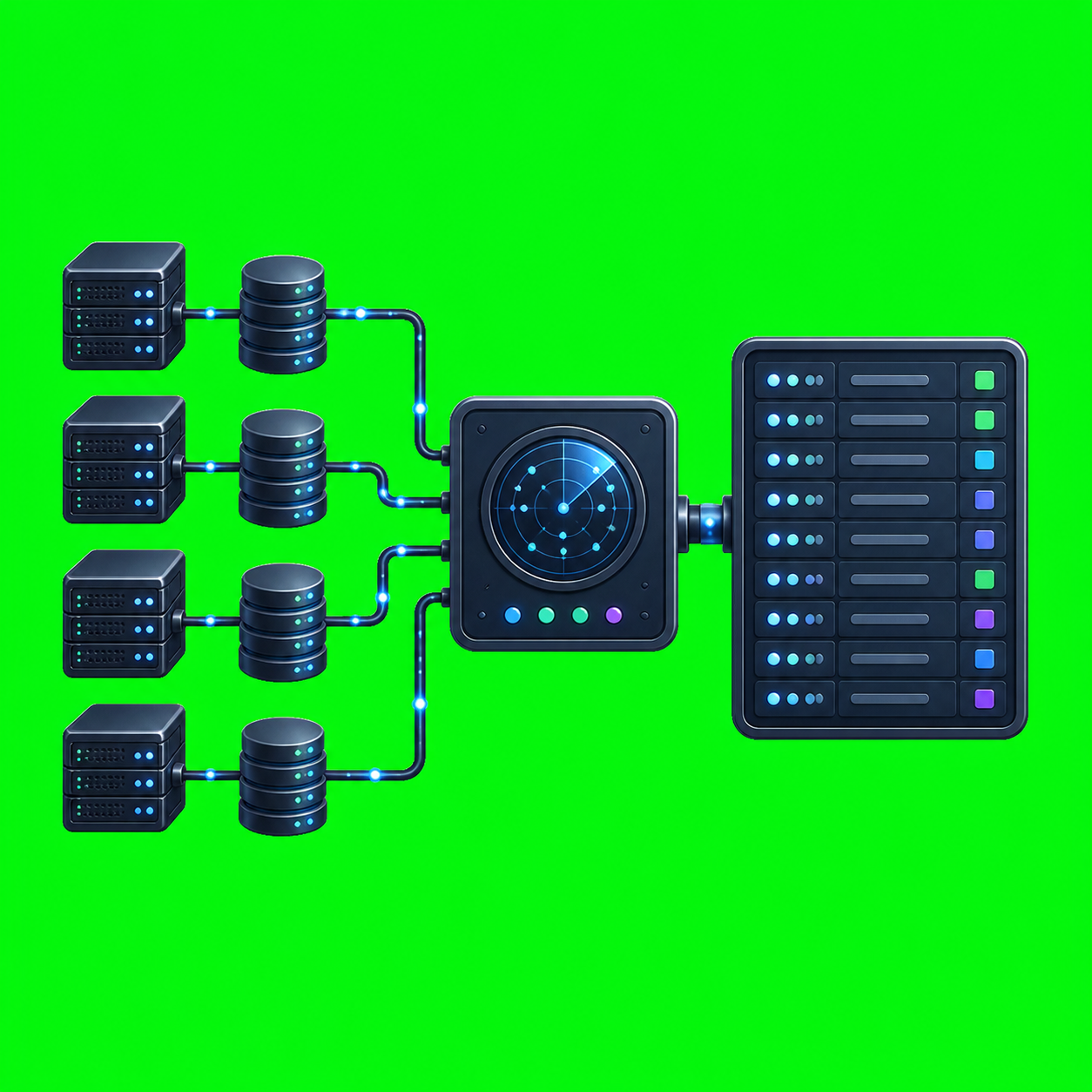
How to Run AxiOwl Without Exposing Internal Services
AxiOwl is designed so agent coordination does not require opening a public control panel, relay port, Redis endpoint, or web API for day-to-day message delivery. The current implementation is built around local CLI execution, native MCP over standard input and output, registry files, and SSH for remote Linux nodes. That model keeps the sensitive parts of the system close to the machine or inside an authenticated shell session.
This matters operationally. If an agent router needs to reach local tools, provider sessions, or remote Codex targets, the safest default is to avoid creating a new network service at all. AxiOwl's current C++ implementation follows that pattern: the MCP server runs as axiowl.exe mcp-server, the remote relay runs as axiowl relay-session --stdio, and remote delivery is delegated through SSH rather than through an exposed AxiOwl listener.
The Boundary AxiOwl Uses
The Windows desktop README describes the runtime split clearly:
Windows build: local coordinator, registry owner, outbound SSH remote provider.
Linux build: remote Codex endpoint, relay-session receiver, Codex CLI delivery only.
That split is the key to running AxiOwl without exposing internal services. The Windows side owns local coordination and the registry. The Linux side is a remote endpoint that receives relay frames over standard input after an SSH login. There is no requirement to publish a remote AxiOwl HTTP port.
The same README also lists a reserved local service endpoint:
127.0.0.1:37661
The source confirms this in service_config.hpp, where service_host is 127.0.0.1 and service_port is 37661. The README also says the local always-running service is not implemented yet. In practice, that means operators should not plan around a public AxiOwl service socket. The current working path is CLI, MCP stdio, and SSH.
Use Native MCP Over Stdio
AxiOwl's MCP integration is not a separate Node server that needs an open TCP port. The installer helper writes MCP configuration entries that invoke the installed executable directly:
axiowl.exe mcp-server --host <host> --provider <provider>
The installed common MCP marker says the same thing: AxiOwl MCP is provided by axiowl.exe mcp-server. In mcp_server.cpp, the server reads MCP messages from stdin, writes responses to stdout, and exposes typed tools such as:
axiowl_whoami
axiowl_list_agents
axiowl_send_message
axiowl_create_agent
axiowl_status
axiowl_node_list
axiowl_node_add
axiowl_node_verify
axiowl_registry_add_agent
axiowl_registry_add_node
axiowl_relay_deliver
That is a useful security property. Codex, VS Code, Antigravity, or another supported host can launch the local AxiOwl process as a child process and communicate through process pipes. Nothing about that flow requires opening a firewall rule for an AxiOwl MCP port.
The Windows installer line also installs MCP configuration for multiple hosts, including VS Code and Antigravity, and installs the Codex plugin when Codex CLI is available. Those entries point at the native executable and pass host/provider metadata, for example --host codex --provider codex. The host gives AxiOwl identity context through the process environment and MCP metadata, not through a public service endpoint.
Register Remote Nodes, Then Reach Them Through SSH
For remote Linux nodes, AxiOwl uses a node registry and SSH. The CLI exposes:
axiowl node add --id <node-id> --host <host> --ssh-user <ssh-user> [--key <ssh-key-path>] [--name <display-name>] [--alias <alias>]
axiowl node verify --id <node-id>
axiowl node list
There is also the older registry form:
axiowl registry add-node --id <node-id> --host <host> --user <ssh-user> [--key <ssh-key-path>] [--name <display-name>]
The implementation stores remote node records in nodes.tsv under the AxiOwl state directory. On Windows, that state root is %LOCALAPPDATA%\AxiOwl; on Linux, it is $XDG_STATE_HOME/axiowl or ~/.axiowl. The related agent registry lives in agents.tsv, and the evidence and delivery logs live under the same state tree.
Before relying on a remote node, run:
axiowl node verify --id <node-id>
The verification command performs an SSH check using batch mode and a short connection timeout. The command it runs remotely is intentionally basic:
hostname; whoami; pwd; hostname -I
That gives the operator a direct identity check without adding a new network-facing AxiOwl service. If the SSH path fails, AxiOwl records the failure on the node record instead of silently assuming the target is usable.
Deliver Remote Messages Through Relay Stdio
The remote provider implementation uses SSH to start this command on the target node:
axiowl relay-session --stdio
The Windows side writes JSONL relay frames to a temporary file, then feeds that file into the SSH command's standard input. The remote side reads frames from stdin and writes JSONL results to stdout. A typical relay exchange starts with a hello frame and then a deliver frame containing the target, body, strict flag, and sender metadata.
That means the remote Linux machine does not need to listen for inbound AxiOwl relay traffic. The only required inbound path is the SSH access path you already control. AxiOwl rides inside that authenticated session.
The Linux remote installer reinforces that model. It installs /usr/local/bin/axiowl, installs the Codex plugin payload under the user's local AxiOwl/Codex directory, writes a Codex MCP config that runs:
/usr/local/bin/axiowl mcp-server --host codex --provider codex
Then it probes the MCP server by piping JSON-RPC messages into the process and checking that axiowl_send_message is exposed. Again, the proof path is process stdio, not a public TCP listener.
Keep Remote Scope Narrow
The Linux remote app has a deliberately smaller support surface than the Windows coordinator. The README states that the Linux remote app supports Codex CLI delivery only and does not support VS Code, Antigravity, desktop IPC, GUI, tray behavior, or remote relay chaining.
That is important when designing a secure deployment. A remote node should not be treated as a general-purpose relay mesh. In the current implementation, remote chaining is explicitly not supported from Linux remote AxiOwl. The Windows coordinator can delegate to a remote node over SSH, and the remote node can deliver to its local Codex target. That keeps the path understandable:
local coordinator -> SSH -> remote relay-session stdio -> remote Codex delivery
If you need a remote target, register the node and register the remote agent deliberately. The README shows the basic pattern:
axiowl registry add-node --id "front" --host "<host>" --user "<ssh-user>" --key "<ssh-key-path>"
axiowl registry add-agent --name "Remote Test" --provider remote --node "front" --session "<remote agent name>"
axiowl send --to "Remote Test" --body "hello"
For normal operator use, prefer the newer axiowl node add and axiowl node verify commands for node management, then use the registry commands when you need to add a specific sendable agent row.
Check Status Without Opening Ports
AxiOwl also provides local status and inventory commands:
axiowl status
axiowl list agents
axiowl node list
axiowl discover all --json
The status command reports paths for the local registry, node registry, evidence log, delivery log, create lifecycle log, activation log, and the local service endpoint. It also reports agent and node counts. That gives operators a local view into AxiOwl's configured state without standing up an admin dashboard.
The discovery command intentionally excludes remote discovery from local all-provider discovery. That is another practical boundary: local inventory can enumerate local provider surfaces, while remote nodes are handled through explicit node registration and verification.
Practical Operating Pattern
A secure AxiOwl setup should look like this:
- Install AxiOwl locally and let the installer write MCP entries for the hosts you use.
- Keep the native MCP path as stdio through
axiowl.exe mcp-server. - Register only the remote nodes you intend to use.
- Verify each remote node with
axiowl node verify --id <node-id>. - Install the Linux payload on remote nodes through the installer flow or an equivalent controlled SSH/SCP process.
- Use
axiowl relay-session --stdiothrough SSH for remote delivery. - Use
axiowl status,axiowl node list, and the JSONL logs under the AxiOwl state directory for inspection.
The main thing to avoid is creating new public entry points because they seem convenient. Do not expose registry files, delivery logs, provider IPC, Codex app-server pipes, or remote relay sessions as public services. AxiOwl already has a command-and-stdio model that lets you operate without doing that.
Closing
Running AxiOwl without exposing internal services is mostly about respecting the architecture that is already there. The current implementation keeps MCP local to process pipes, keeps the reserved service address on loopback, uses SSH for remote nodes, and limits the Linux remote package to Codex CLI delivery. That gives operators a clear security boundary: expose SSH only where it is intentionally allowed, keep AxiOwl coordination local, and let the registry and logs provide inspectable state instead of adding public control-plane ports.