Using AxiOwl With Cursor
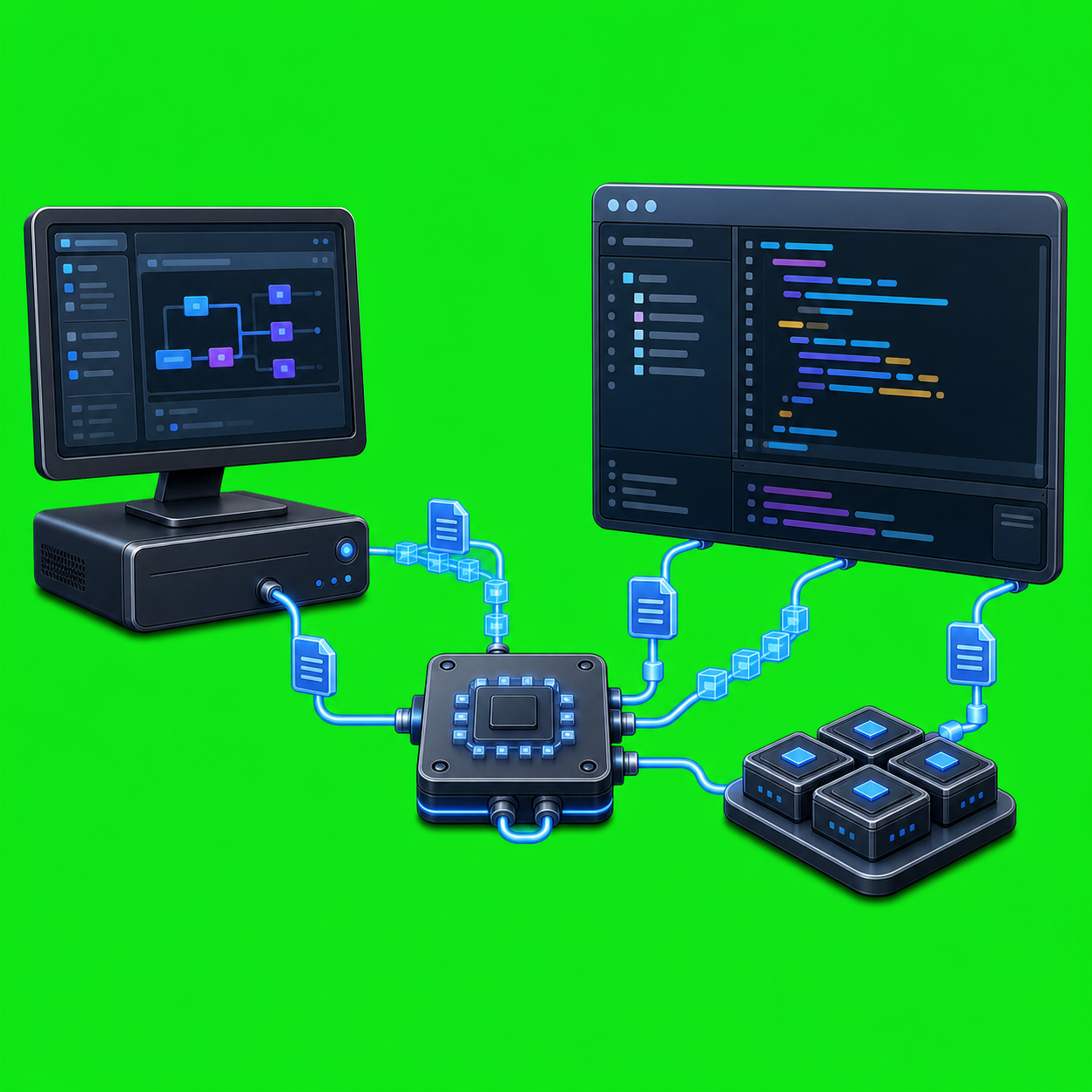
Cursor is one of the local agent surfaces AxiOwl can address from its Windows desktop product. The practical idea is simple: a Cursor chat can be registered as an AxiOwl agent, then another agent or operator can send work to it through the same AxiOwl command path used for other providers.
The implementation is more specific than a generic "AI editor integration." In the current AxiOwl C++ repo, Cursor support is built around a Windows provider module, a private Cursor bridge extension, a local registry, and command/result files under the AxiOwl state directory. That gives AxiOwl a concrete way to find a Cursor target, submit a message, and record whether Cursor's provider path accepted it.
What AxiOwl Installs For Cursor
The Windows desktop app includes a Cursor bridge extension named axiowl-cursor-bridge. Its package describes it as a local Cursor Desktop chat bridge for AxiOwl. The extension activates on startup, on URI handling, and on two bridge commands: status reporting and queued command execution.
When active, the bridge writes its identity to:
%LOCALAPPDATA%\AxiOwl\registry\cursor-bridge.json
It also watches for command files in:
%LOCALAPPDATA%\AxiOwl\registry\cursor-bridge-commands
and writes result files to:
%LOCALAPPDATA%\AxiOwl\registry\cursor-bridge-results
The installer work is not just copying a binary. The Cursor headless installer path builds or stages the AxiOwl installer helper, packages the Cursor bridge as a VSIX, then runs Cursor-specific steps for preflight, cleanup, extension installation, MCP configuration, patching, discovery, and commit. The MSI build script also carries Cursor extension and VSIX payload entries, and the provider contract tests assert that Cursor has extension, MCP, patch, and discovery features.
The Send Path
For day-to-day use, the important command shape is:
axiowl send --from "<registered sender>" --to "<cursor target>" --body "<message>"
For longer prompts, AxiOwl also supports stdin:
Get-Content .\prompt.txt -Raw | axiowl send --from "<registered sender>" --to "<cursor target>" --stdin
The CLI help in the repo lists Cursor as a supported create/discover provider:
axiowl create --provider cursor --name "<agent>" --body "<message>"
axiowl discover cursor
It also exposes Cursor delivery method selection with --delivery-method <cursor-method|A|B|C|D|E>. In the provider code, the named methods map to Cursor-specific delivery attempts such as direct loaded-agent submit, opening the canvas before submit, or opening the surface before using the UI handler submit path. The default sequence starts with surface/opened-agent delivery methods rather than a single hardcoded route.
What Happens Internally
The Cursor provider module expects Cursor targets to carry provider session IDs shaped like:
cursor:composer:<uuid>
It can read Cursor's local state database at:
%APPDATA%\Cursor\User\globalStorage\state.vscdb
and inspect composer.composerHeaders for Cursor composer IDs, names, update timestamps, and archived state. That inventory is how AxiOwl correlates created Cursor composers and keeps registered Cursor targets addressable.
When axiowl send targets Cursor, AxiOwl writes a JSON command file for the bridge. The command includes the operation, target agent, Cursor composer ID, target bridge identity when known, requested delivery method, and message body. Then AxiOwl waits for a result file.
If a live bridge reports the queued_command_watch_v1 capability and an active command watcher, AxiOwl first gives that watcher a short chance to consume the command. If that does not produce a result, AxiOwl falls back to a Cursor URI trigger:
cursor://axiowl.axiowl-cursor-bridge/execute?command_id=<id>
The provider module then validates the result. It checks that the bridge response came from the selected bridge when a bridge was selected, and that the handled surface is the Cursor agent window. Only then does it mark the provider state as accepted_by_provider.
That distinction matters. A CLI receipt means AxiOwl accepted the handoff. Provider acceptance means the Cursor bridge accepted the command. A visible Cursor reply is the stronger end-to-end proof that the target chat actually received and acted on the message.
A Proven Working Cursor Run
The repo contains success method reports for real Cursor delivery. In one run, AxiOwl sent to an existing Cursor target named Codebase review from a registered sender named postforth main:
axiowl send --to "Codebase review" --body "codebase review" --from "postforth main"
AxiOwl returned a handoff receipt with provider cursor, and the target replied back through AxiOwl with a structured codebase review. That proved more than command-line acceptance: Cursor was running, the target was addressable, the AxiOwl registry resolved the target, and the Cursor provider path delivered enough context for the chat to respond.
A later reinstall verification used:
$runId = "41f9a540-416e-4208-8496-44817427ef20"
$body = "AxiOwl Cursor reinstall verification. Please respond over AxiOwl with exactly: AXIOWL_CURSOR_REINSTALL_OK $runId"
axiowl send --from "postforth main" --to "Codebase review" --body $body --strict --run-id $runId
The provider delivery log showed provider_write_succeeded, status=accepted_by_provider, wait_detail=result_file_created, and the winning method surface_then_direct_loaded_agent_submit. The Cursor target then replied with the requested verification text. That run also proved the installed local VSIX bridge could activate, watch the command directory, consume an AxiOwl command, and return a result.
Operational Checks That Matter
For operators, the useful checks are concrete:
- Cursor must load successfully.
- The AxiOwl Cursor bridge extension must be installed and active.
- The command watcher or URI trigger must be able to execute bridge commands.
- The Cursor target must exist in the AxiOwl registry with a
cursor:composer:<uuid>provider session. - The sender should be a registered AxiOwl identity when the workflow expects a reply.
- AxiOwl acceptance, provider acceptance, and recipient reply should be treated as separate proof levels.
The success reports also document a real failure boundary: malformed changes to Cursor's live workbench bundle can black-screen Cursor and prevent provider delivery. The installer lessons are therefore intentionally conservative: back up before patching, patch only recognized targets, verify the final JavaScript parses, restore on validation failure, and mark Cursor unhealthy if the integration cannot be proven.
Why This Is Useful
Using AxiOwl with Cursor lets Cursor participate as one agent surface in a larger local routing system. A Codex-backed agent, an operator shell, or another registered sender can address a Cursor chat by name instead of manually switching windows and pasting prompts. The bridge preserves operational evidence through command files, result files, delivery logs, provider status, and explicit target identities.
That is the real value of the integration: Cursor remains Cursor, but AxiOwl gives it a named address, a repeatable send path, and a way to verify whether a handoff reached the provider boundary. For serious multi-agent work, that difference is the line between "I pasted into a chat" and "I can route, inspect, and regression-test the handoff."